
Hello my fellow life time learner.
Recently I rebuilt my home Raspberry Pi cluster to upgrade some of the SD card to SSD. I wipe out the entire OS without doing a backup, or documentation on my setup. I need to redo my IoT sensors data to IoT Platform in the cloud. Since I am doing it, thought of documenting it down just in case I need to do it again in the future, no need to struggle anymore.
Well, if you install the latest Raspberry Pi OS, NodeRed will be installed by default. If you are a new user of Pi, just browse to their website and download the Pi Imager, you are good to go. Just put in the hostname and your wifi credential before writing to the SD card so that it will connect to your wifi when boot up. If you are using a headless Pi, i.e. no monitor, keyboard and mouse connected, then you may also want to enable SSH before writing to SD card, make sure you do have your ssh-keygen done so that it will upload your public key to the SD card.
After the Pi rebppted, connect to Node-RED from your browser on port 1880. You should be able to see the Node-RED screen after authentication.
This is what I created to demo for the purpose of this blog.
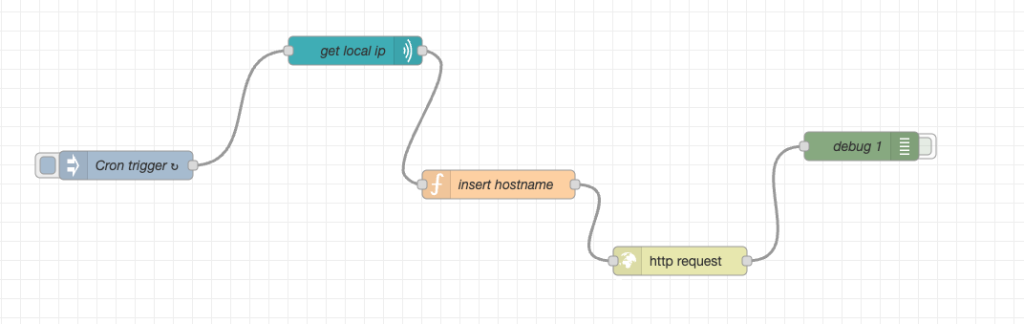
In essence, I created an inject object node to trigger the entire workflow every 5 minutes. I think the payload and hostname are ignored in the subsquent nodes.

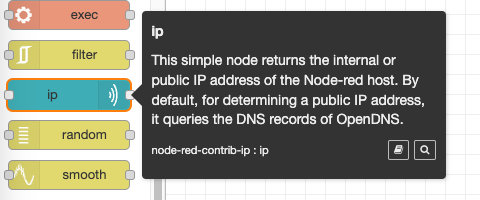
Then I install a new node node-red-contrib-ip to extract the IP address of the host that run the Node-RED application. I do this to know what is the IP address of the Pi since it may get rebooted and acquire another IP address from the DHCP server. Yes, I should have make it static IP address. Maybe will do later.
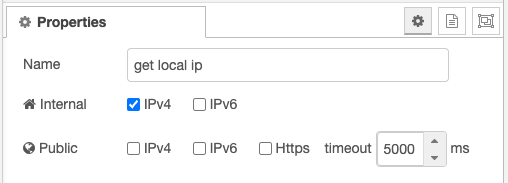
This node is where I inserted the hostname and IP address into the payload before making a POST request to the IoT Platform.
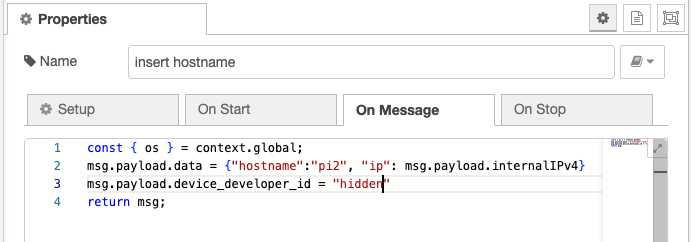
Next is to make a REST Api call to my IoT Platform service provide. I am using FavorIoT platform (https://www.favoriot.com/), the company was started by the leader of IoT in Malaysia, Dr Mazlan. One of the best IoT Platform available. Economical too. I pay RM100 for 1 year of services that can take 10,000 API call a day.
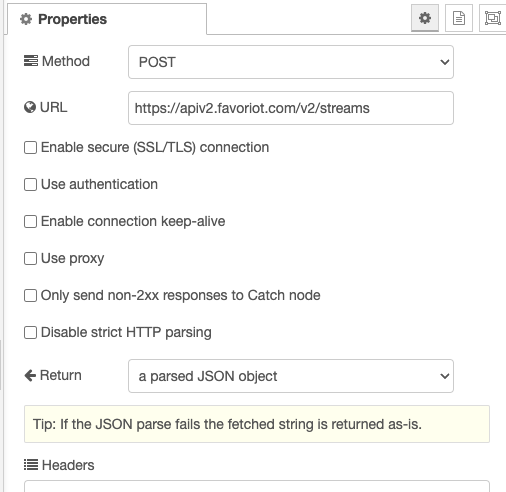
In order to do that, one need an account with the IoT platform, create a hierarchy of setup, from Projects, Applications, Groups till Devices. Device setup is to identify the devices that will be making the API call to the platform, and where the token is created to be used by the client to get the authorization to make the call to the platform.
As you can see, I have 2 different PI sending data to the IoT Platform, one using Node-RED and two using Python script triggered by cronjob.
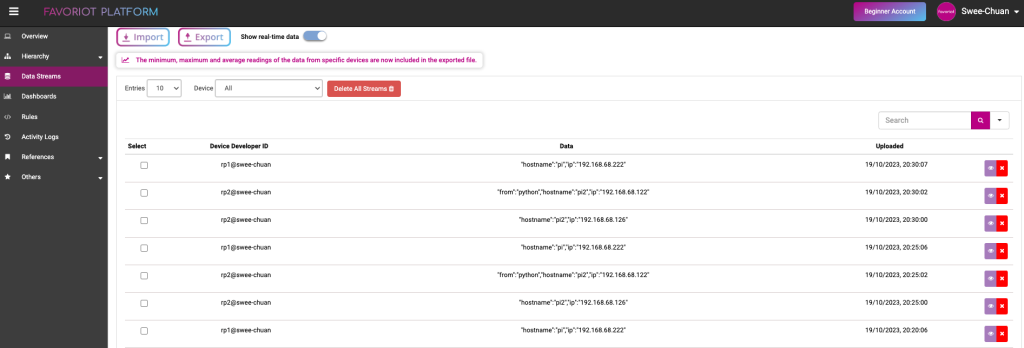
This is just a simple demo on how to use Node-RED to create a workflow. I will now re-connect my environmental sensors (temperature, humidity, proximity, vibration, etc) to the Pi, Pi Pico, Arduino, etc and send the data to the same IoT Platform.
Hope my future me find this useful when he need to rebuild the whole thing again. Hope you, the reader also find it useful too.
— sckhoo 19/Oct/2023 —